Last updated: July 22, 2026 at 7:45 PM UTC
No resources match your search. Try a different keyword, category, or major.
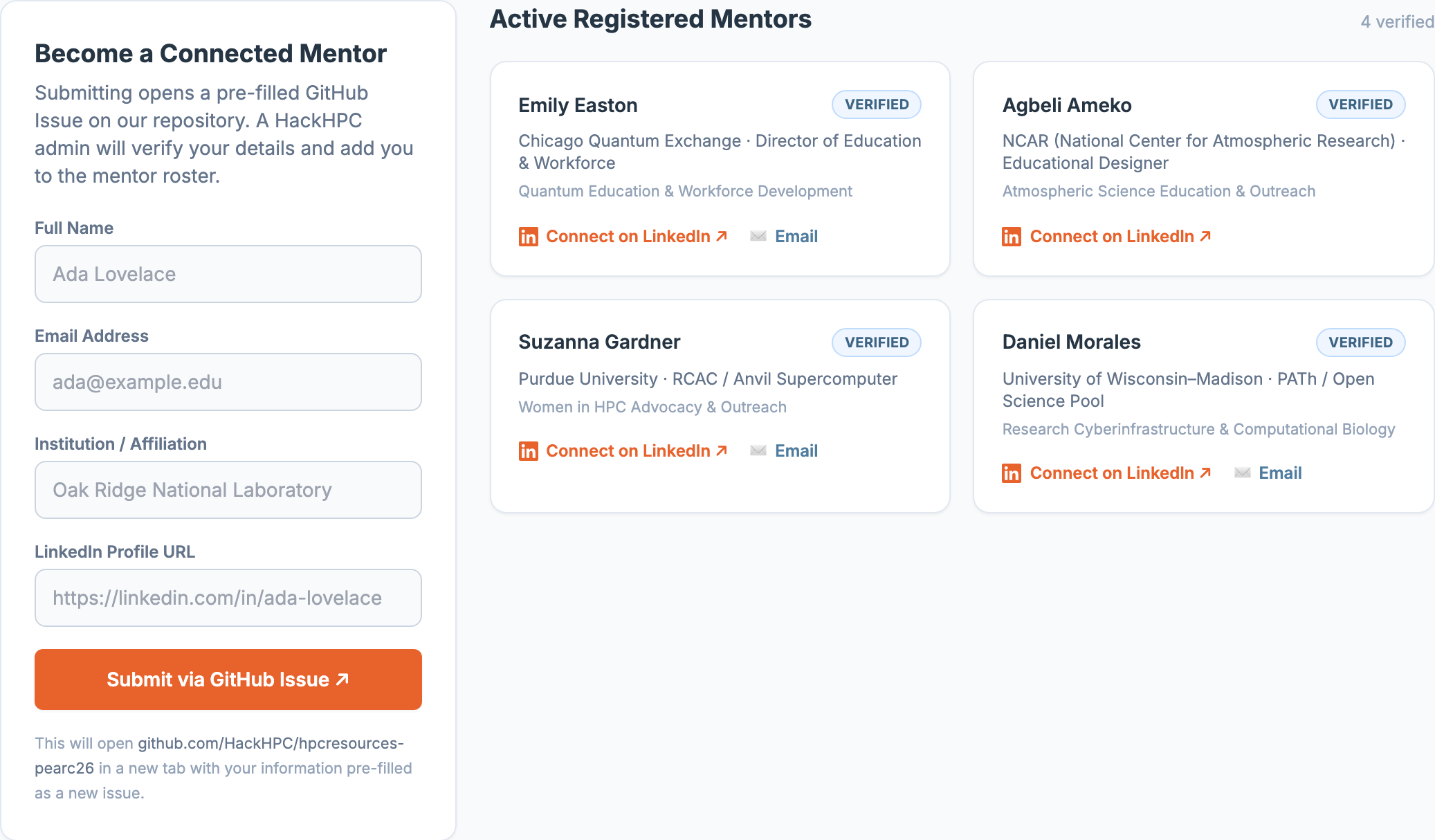
Become a Connected Mentor
Submitting opens a pre-filled GitHub Issue on our repository. A HackHPC admin will verify your details and add you to the mentor roster.
Active Registered Mentors
Groundwork for Greatness — Speaker Bios
Morning speaker series featuring HPC and AI leaders from national labs, industry, and academia.
Frequently Asked Questions
A quick guide to everything on this page — search, filters, sharing, mentors, and speakers.
Resource Directory
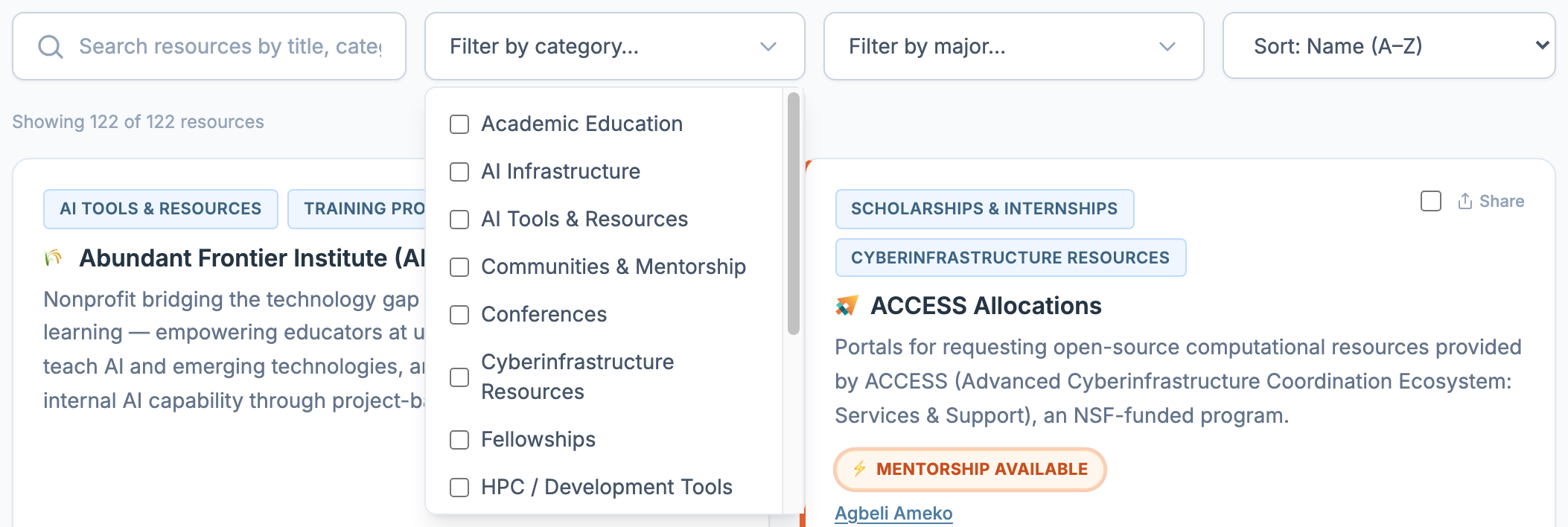
How do I search for a resource?
How do I filter by category or by major?
Click "Filter by category…" or "Filter by major…" to open a checklist. Check as many boxes as you like — a resource shows up if it matches any checked category, or any checked major (checking boxes in both narrows results to resources matching both at once). Use "Clear selection" at the top of the panel to reset just that filter.
How do I sort the list?
What do the badges on a resource card mean?
The small labels above a resource's title are its categories — a resource can have more than one.
- 🎪 PEARC EXHIBITOR (violet/fuchsia badge with a matching left border) marks vendors and organizations exhibiting on-site at PEARC26.
- ⚡ Mentorship Available (orange, pulsing) appears when a resource has a named contact person — click their name to jump to their profile on the Connected Mentors tab.
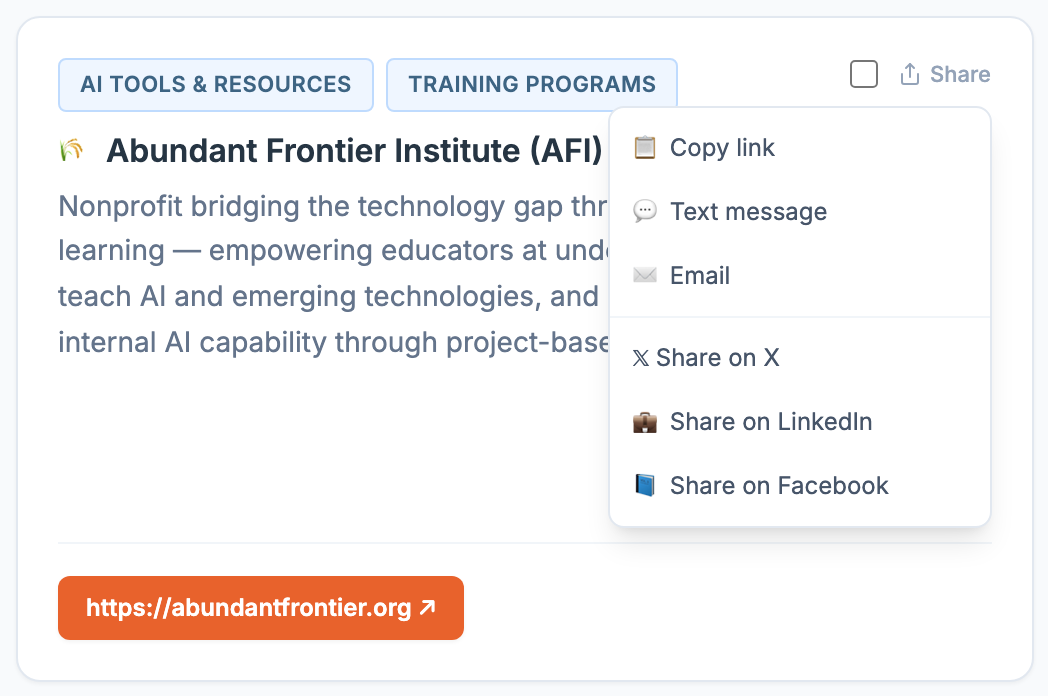
How do I share a single resource?
Click "Share" in the top-right of any resource card. On a phone or supported browser this opens your device's native share sheet; otherwise it opens a small menu — copy link, text message, email, X, LinkedIn, or Facebook. The copied/shared link jumps straight back to that resource, highlighted, when opened.
How do I select and share multiple resources at once?
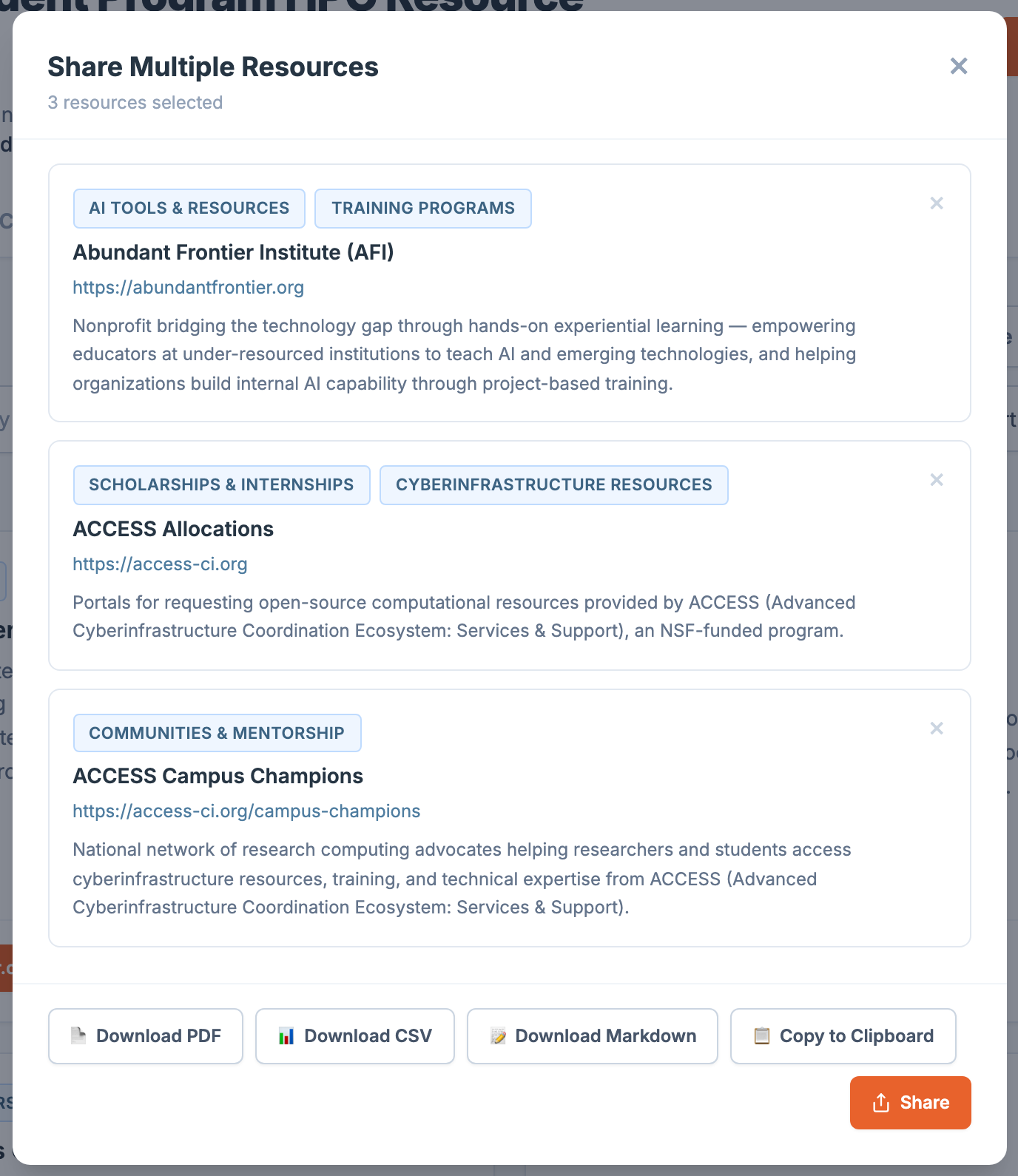
Check the small checkbox in the top-right of any resource card — it works across searches and filters, so you can check resources, then search for more, without losing your selections. The "Share Multiple Resources" button above the search bar shows a live count; click it to review your list and choose how to export it:
- Download PDF — opens a printable page; use your browser's print dialog to save it as a PDF.
- Download CSV / Download Markdown — saves a file with each resource's name, URL, categories, and description.
- Copy to Clipboard — copies the same info as plain text.
- Share — opens your device's native share sheet, or copies to clipboard if that's not available.
Use "Clear All Selected" to uncheck everything and start over.
How do I suggest a new resource?
Connected Mentors
How do I browse or contact a mentor?
Switch to the Connected Mentors tab to see every verified mentor, their affiliation (linked to their organization's site), and their focus area. Use "Connect on LinkedIn" or "✉️ Email" on their card to reach out directly.
How do I become a Connected Mentor myself?
Groundwork for Greatness
Where do I find the speaker bios, and how do I contact a speaker?
Still Need Help?
Didn't find your answer above? Submit a support question below — it opens a pre-filled GitHub Issue on our repository, and a HackHPC admin will get back to you.
Site created by Je'aime H. Powell.